

 Back
Back























4.6.0
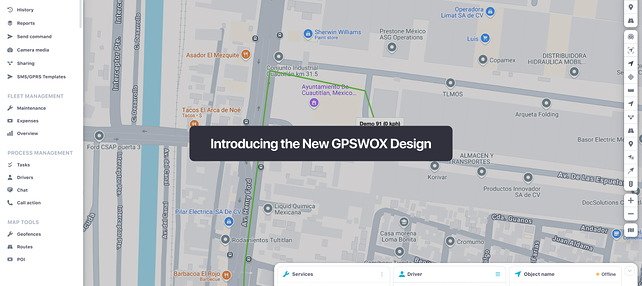
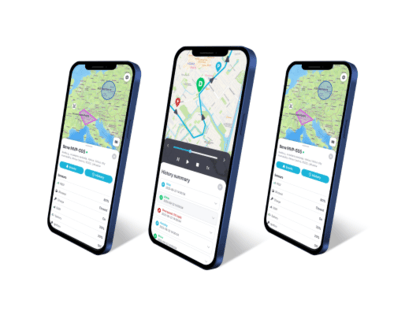
New GUI - Version 4.6.0
Status: Active Development
Additions
- Added forwarding loop detection that identifies and breaks device data forwarded in a loop between servers
- Added the ability to unassign a driver from a vehicle
- Added a copy button for the hashed API key
Improvements
- Improved performance by optimizing XML parsing and policy resolution
- Improved the data tables so column definitions are built once per request instead of several times
- Added concurrency limits for live, replay and intercom dash cam streams to protect server performance
- Aligned the graph minimum-value threshold with the legacy setting
Fixes
- Fixed the ignition graph and ignition time in reports being calculated incorrectly
- Fixed beacon and tag parameters (such as RSSI and battery) not being saved to position attributes
- Fixed AVT110 devices not updating their time and not showing CAN data
- Fixed GPRS command handling for JT808 devices
- Fixed scheduled GPRS commands not being sent
- Fixed the command log not showing commands sent through a GPRS template
- Fixed a database error when working with geofences caused by a missing spatial function
- Fixed being unable to delete a device due to a database constraint error
- Fixed the APN value autofilling into the device name field
- Fixed the device history map showing other devices' trails
- Fixed fuel consumption and average consumption in reports when refuels happen inside the report period
- Fixed fuel graph and report rendering issues
- Fixed truncated city names on the route report map
- Fixed reversed words in route reports for right-to-left languages
- Fixed an OpenStreetMap error on route reports
- Fixed History sensor graph Y-axis labels being rounded to whole numbers and repeating the same tick
- Fixed a report form validation message showing the internal field name
- Fixed the missing "KM" suffix on service values
- Fixed the protocol and port name missing from the custom event list
- Fixed incorrect daylight-saving start date for Chile
- Fixed the iOS app showing a white screen with the logo on iPad (9th generation, iOS 26.5)
- Fixed the iOS app History map not centering on a selected Drive or Stop event
GUI Transition Notice
The Legacy GUI (3.x) is approaching end-of-life and receives only critical fixes.
All new features and UI enhancements are released exclusively in the New GUI (4.x).